26th May 2015
I am using an excellent photo-management suite digiKam, which offers 3 lossless compressed formats for photos versioning and storage: PNG, JPEG 2000, and PGF. I wanted to know which one should I use, which urged me to perform this comparison.
This post is not intended to be an in-depth comparison, but should be sufficient to choose one of the three file formats for your purposes. For more format details and history simply follow the links provided. File formats are reviewed roughly in “historical” order.
PNG (Portable Network Graphics) was designed as GIF replacement.
- It is lossless.
- It is suitable for photos.
- PNG is more space-efficient in the case of images with many pixels of the same color, such as diagrams/plots (as compared to PGF and JPEG2000). However, PNG photos are almost always larger than lossless PGF/JPEG2000 photos (real photo example: 9.9 MB in PNG, 7.0 MB in JPEG 2000).
- PNG is fairly fast at (en|de)coding.
- PNG is widely supported by web-browsers, image editors, and other software.
- PNG uses CRCs internally for each data block, so if damage occurs only the damaged block(s) should be lost – theoretically. However, in practice, according to the Just One Bit paper (local copy), PNG is actually much less damage-resilient than JPEG 2000.
Read the rest of this entry »
Posted in Comparison, Links, Misc, Software | No Comments »
2nd May 2010
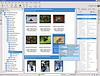 Back in the times when Windows was my OS more than 75% of the time in front of the computer, I really liked a simple photos import utility, supplied for Canon digital still image cameras. It allowed the import of all the new media items (photos and movies) from a camera into a pre-configured location in one click, and it also automatically created date-based directories for new photos. Given the removable media autoplay feature, after connecting the camera it was really a matter of one click (or one button press) to have everything copied.
Today, I decided to have a look at what the FOSS community has to match that simple and useful Canon utility. Here’s my “rating”:
- digikam: nice and easy import; supports date-based auto-creation of albums (directories); feature-reach, suitable as a primary images-viewing application; my personal “number one” for now.
- f-spot: easy import; has nice date-based photos browser; on import, converts photo filenames to lower case; my second choice, will have a closer look at its features.
- gThumb: good import, but haven’t found a way to configure/create target directory during import.
- gtkam: unusual interface; while testing, it died once unexpectedly; otherwise easy to use.
- picasa: haven’t tried to import with a recent version, but I generally dislike the idea of using software which requires an extra layer to run (wine in this case), unless it is unique. Picasa is not unique, and thus looses (in my opinion) to digikam.
Related: list of 100 most useful open-source software tools.
Posted in *nix, Software | No Comments »

