6th August 2018
Your software needs tons of RAM, and runs a bit too slow on your super-duper HPC cluster? Read this: Slow memory allocation due to Transparent Huge Pages (THP)
Posted in *nix, Links | No Comments »
30th September 2009
If you have happened to observe similar messages in your dmesg:
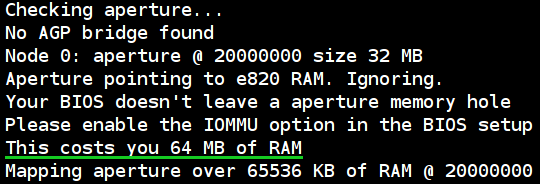
[ 0.004000] Checking aperture…
[ 0.004000] No AGP bridge found
[ 0.004000] Node 0: aperture @ 20000000 size 32 MB
[ 0.004000] Aperture pointing to e820 RAM. Ignoring.
[ 0.004000] Your BIOS doesn’t leave a aperture memory hole
[ 0.004000] Please enable the IOMMU option in the BIOS setup
[ 0.004000] This costs you 64 MB of RAM
[ 0.004000] Mapping aperture over 65536 KB of RAM @ 20000000
and you are using AMD-based system w/o AGP video, then my advice is: just leave that as is, do not bother “improving”! Any tinkering with kernel boot options won’t do you any good, as the kernel has already done the best it could.
Just a note: all those messages at the top of the post should only happen if you have 4 or more GiBs of RAM. If you have less than that, and do have those messages – my experience might be inappropriate for your case.
Another note: my BIOS does not have any IOMMU settings (or “Memory hole remapping†settings), so I didn’t try that. You should check if your BIOS has IOMMU-related options first, just as kernel message suggests.
Read on for details.
Read the rest of this entry »
Posted in *nix, how-to | No Comments »
13th July 2009
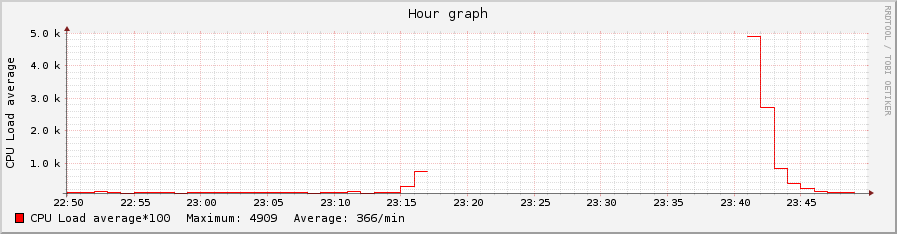
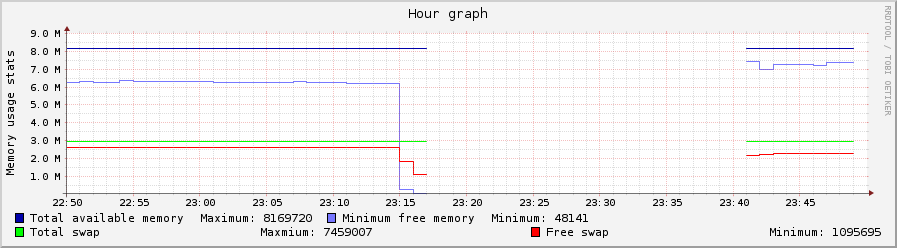
The two graphs below (clickable) are for CPU and RAM use during a period of a program going wild between 23:17 and 23:41 (24+ minutes of server’s downtime). The program was run non-root, it just consumed all the memory it could. It was killed by kernel, so the server started responding without any interventions – which were hard to perform, because none of the services (including ssh) were responding during downtime.
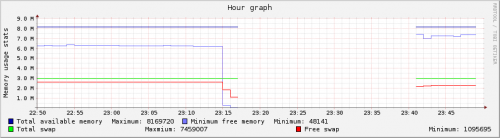
If you happen to be developing a C/C++ program – do use mtrace and valgrind, those are huge helpers against the problems akin to that shown on the graphs.
Posted in *nix, Programming, Software | No Comments »